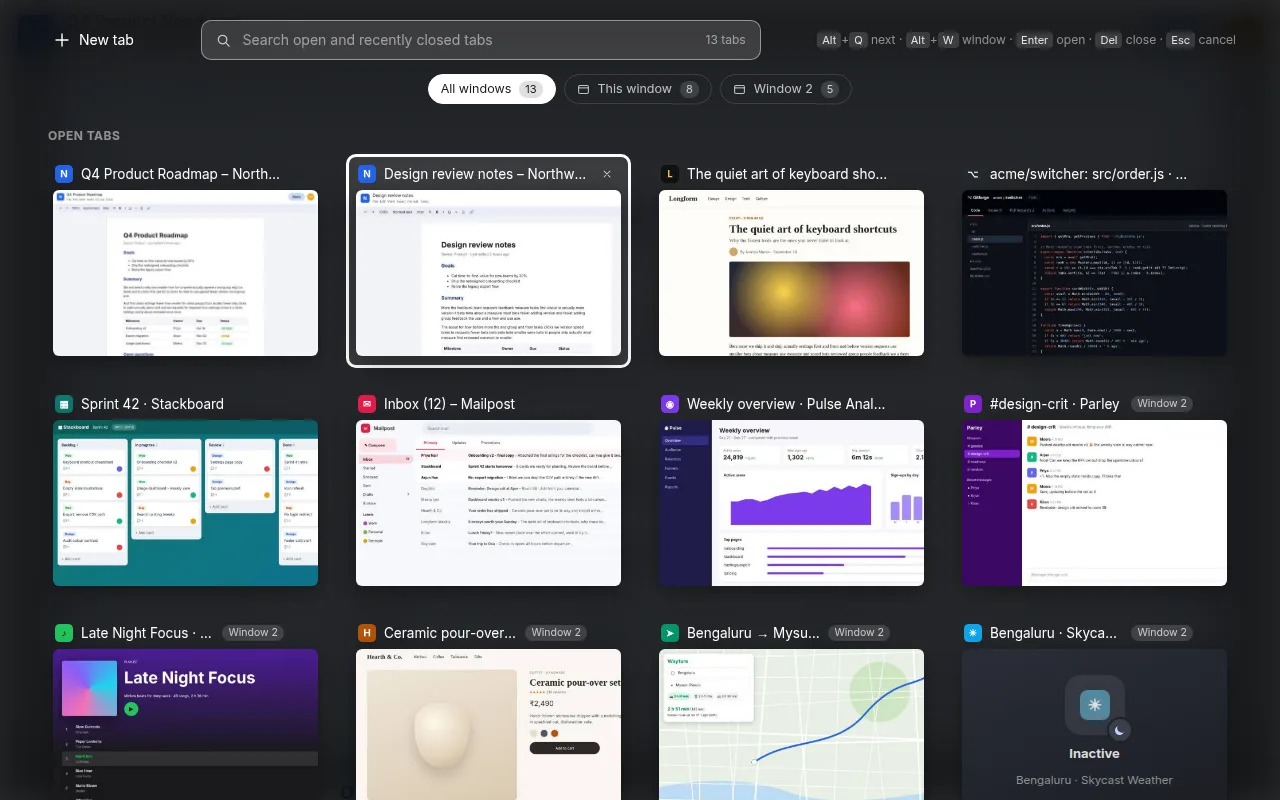
With forty tabs open, Chrome's tab strip turns into a row of identical little icons. Finding the one you want means clicking through them one by one, or giving up and opening it again.
What I built
Live previews: a real screenshot of every tab, not just a favicon and a title.
Hold Alt, tap Q to move through tabs in most-recently-used order, let go to switch. It feels like Alt+Tab.
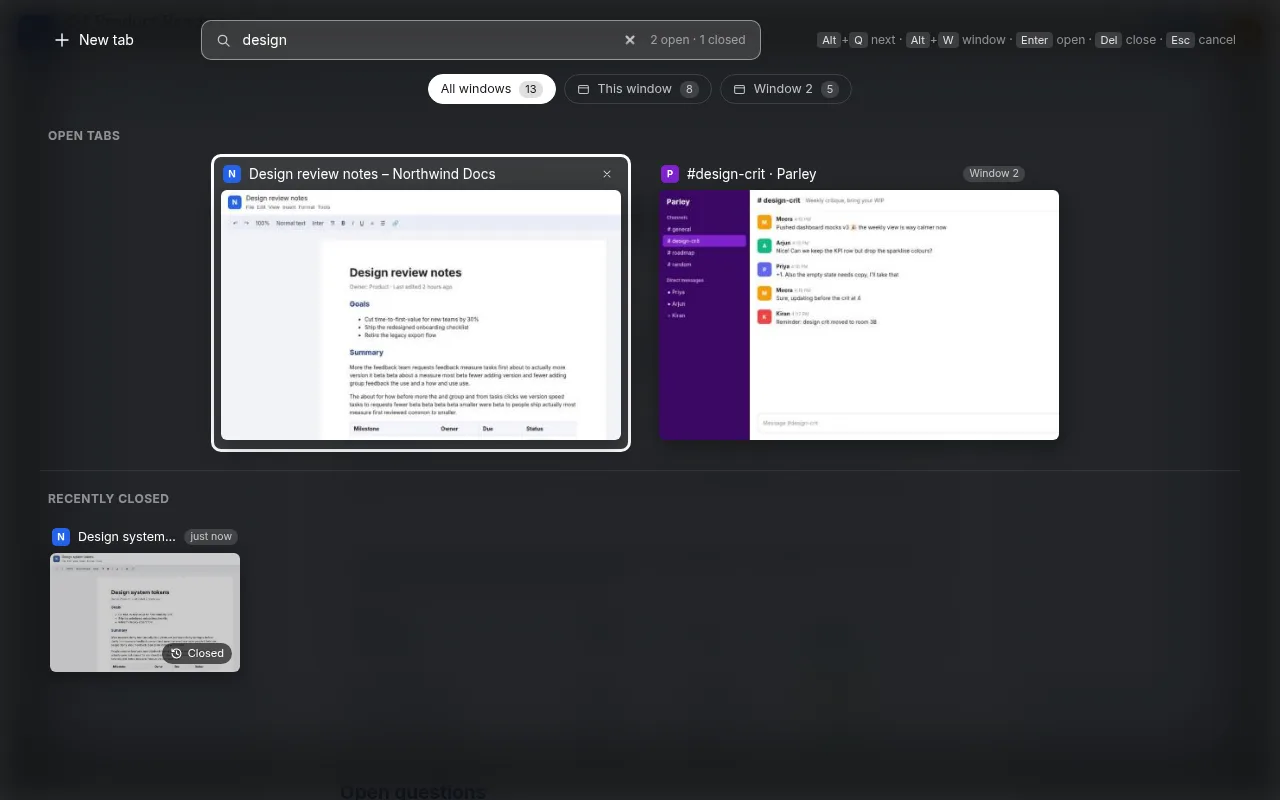
Type to search open and recently closed tabs by title or URL.
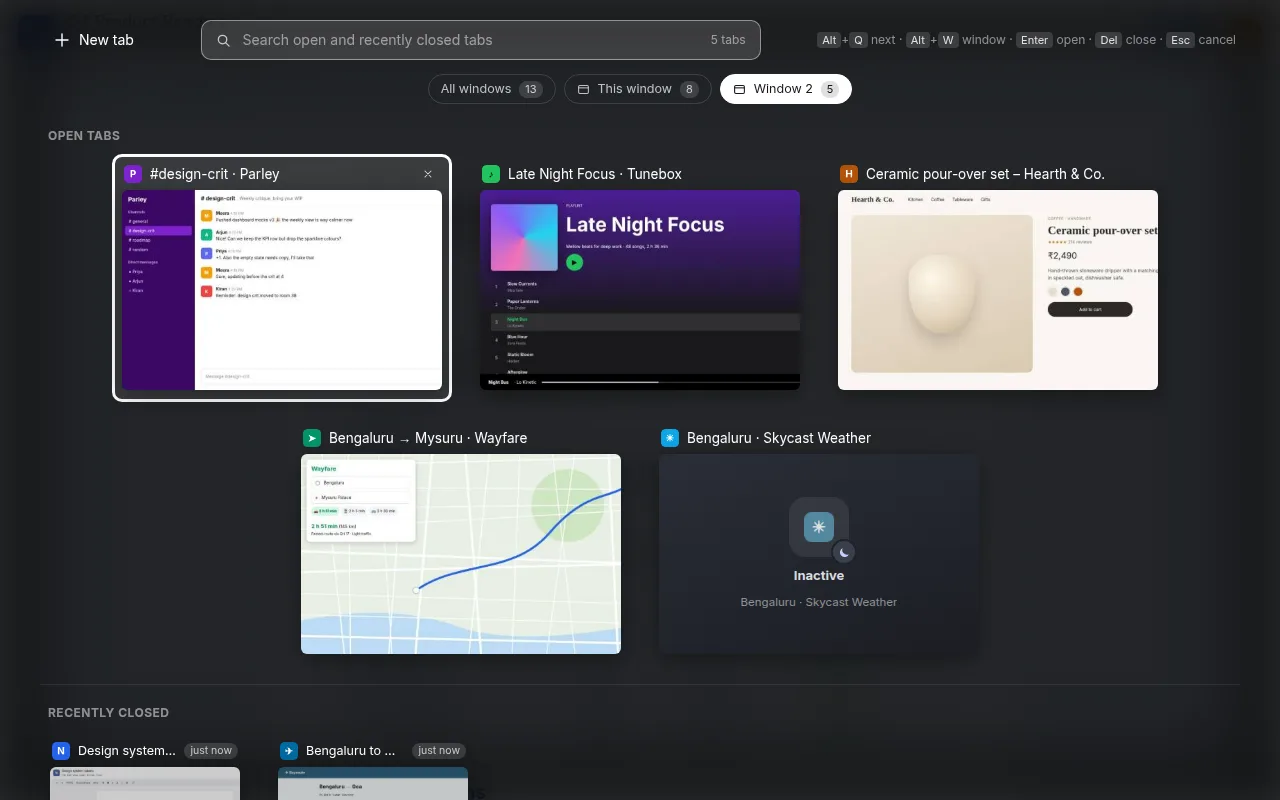
Every window in one view, with Alt+W to filter to one.
Reopen closed tabs and windows, with their last preview.
Decisions that mattered
Private by design: previews live only in memory and are wiped when Chrome closes. The extension makes no network requests at all.
Works everywhere: it draws an overlay on normal pages and falls back to a small popup window where extensions can't draw (New Tab, chrome:// pages). If the overlay doesn't come up within 2.5 seconds, the popup takes over.
Cheap on resources: screenshots are shrunk to small JPEGs, taken at most about twice a second, and capped at 150.
Scope rule: every feature has to fit "find, switch or keep your tabs". Anything else becomes a separate extension.
What's next
v1.4 adds "save window": one shortcut stashes every tab in a window into a group and gives you a clean window. After that, search across tabs by what is on the page.